See the result immediately
Adjust the content and check spacing, structure, and line breaks without jumping between views.
Use AI to help create a professional resume quickly. No signup required, free to use, and your data stays secure.
Workspace Preview
Edit on the left, review on the right, and export once everything looks correct.
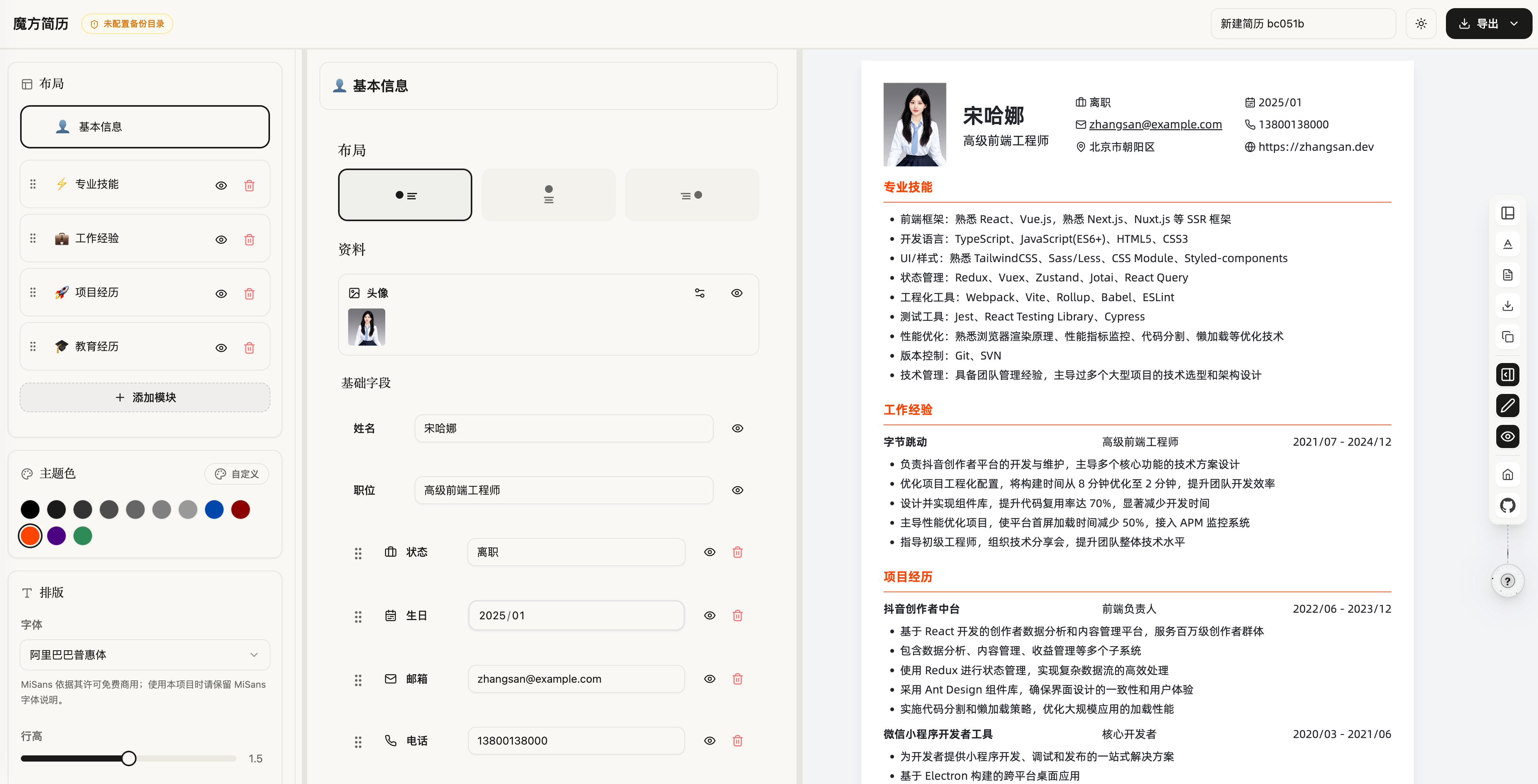
See changes while editing
Switch templates without losing content
Export PDF and keep a JSON backup
Why it works
Help people start fast, judge the result clearly, and export confidently before anything else.
Adjust the content and check spacing, structure, and line breaks without jumping between views.
Resume data stays local, so switching templates, refining sections, and making backups feels safer.
Once the preview looks right, export a polished PDF and keep a JSON copy for backup and reuse.
If you already know what you want, jump straight in. If not, pick a template first and shape the content from there.
Professional
A stable layout for most applications
Compact
A denser layout for content-heavy resumes
Bilingual
A clearer structure for Chinese and English content